
How Phishing Attacks Target Sacramento Businesses (Tactics, Entry Points, Prevention)
Phishing does not need to break through a firewall or exploit a software flaw. It only needs one person to click, open, or type a password into a page that looks familiar. For Sacramento businesses in healthcare, legal services, accounting, and construction, that single click is still, honestly, the most common way attackers get in.
The scam itself has gotten harder to spot. Poorly written emails from strangers still show up, but they make up a shrinking share of what lands in a Sacramento inbox. Most of what arrives now is built to look like routine business, a voicemail alert, a signed document, or a password reset, and it is built well enough to fool someone moving fast between meetings.
That is exactly why trusted IT support services in Sacramento, CA, make a real difference: catching these before they reach your inbox is far better than dealing with the fallout after.
What Modern Phishing Actually Looks Like
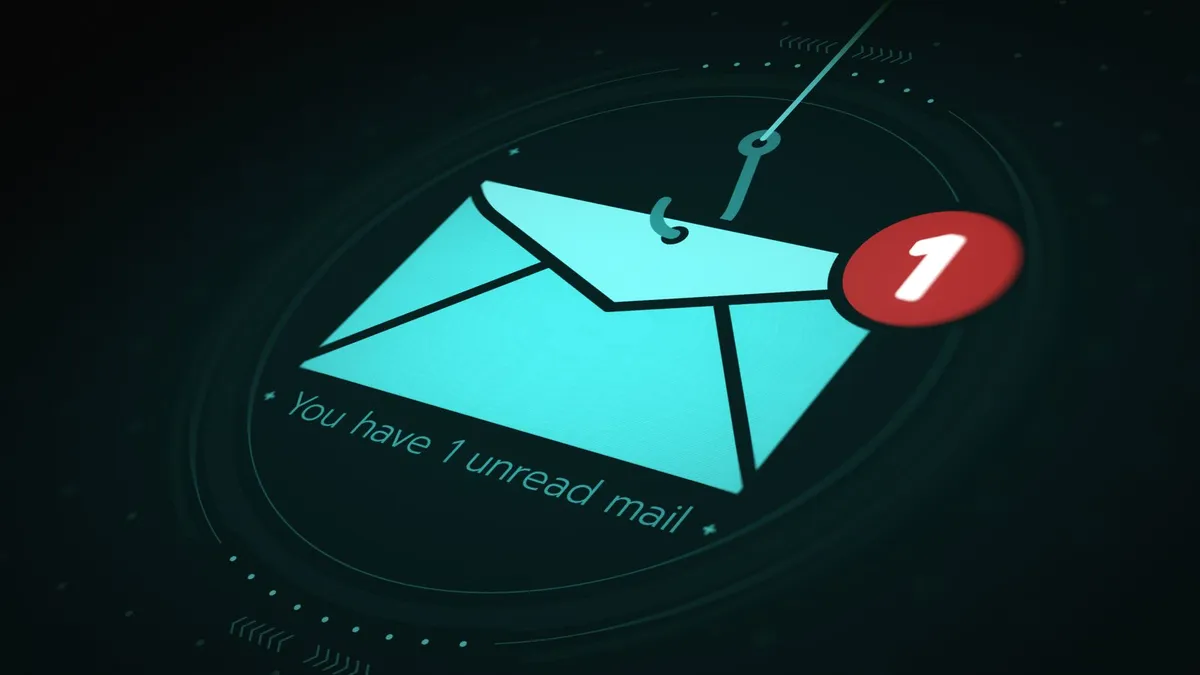
A phishing email aimed at a Sacramento business today might mimic a voicemail notification from the office phone system, a shared file alert from Microsoft 365, or a signature request for a contract that needs closing. The sender’s address is often one character off from the real domain. The link behind it opens a page built to match a Microsoft or Google sign-in screen almost exactly.
When a message targets one specific person rather than a mass list, it is called spear phishing. An email addressed to the office manager by name, referencing a vendor the business actually uses, and formatted like a routine invoice approval is a different animal than the generic spam a filter catches without effort. Attackers build that personalization from what is already public: a company website, a LinkedIn profile, a press release, or a social post.
Business email compromise works differently. Here, the attacker spoofs or actually takes over the account of someone senior in the company and then sends instructions from it.
A message that looks like it came from the owner, asking the bookkeeper to wire a payment, is the textbook case. There is no malware involved and no attachment to scan, just a convincing instruction from someone the recipient has no reason to doubt.
The Entry Points Phishing Exploits in a Business Network
Phishing goes around technical defenses by aiming at the person using them. An employee who opens an infected attachment on a company laptop has handed over that device, whatever the firewall is doing. An employee who types a Microsoft 365 password into a fake login screen has handed over the inbox and everything else tied to that password.
Weak password policies, unpatched devices, and personal phones with no security controls are among the common IT support issues small businesses face, and phishing exploits precisely these gaps to get a foothold.
Email remains the main delivery route, through attachments, embedded links, and HTML content that runs the moment the message opens. Smishing uses the same lure by text to a phone that often lacks the protections a managed work laptop has. Fake login pages work because they look right, feel routine, and give the person typing into them no visible reason to stop.
Once an attacker has working credentials, they usually log in quietly and wait. They read email threads to learn who talks to whom, which invoices are pending, and how the business actually communicates. That reconnaissance can run for days or weeks without anything visibly changing on the surface.
Signs an email is worth a second look:
A sender address that is almost right, but not quite
A password reset prompt you did not request
A payment or wire request that skips the usual approval steps
Urgent language pushing you to act before checking with anyone
A link that previews to an unfamiliar domain when you hover over it
A shared-document or voicemail alert you were not expecting
Got an email this week that felt slightly off, maybe a login prompt you did not request, or an invoice asking to change payment details? Call Sequoia Technology Group at (916) 999-7099, and we will take a look before it turns into a bigger problem.
How Phishing Targets Sacramento Businesses Specifically
Sacramento businesses in regulated industries carry more exposure because of what they hold. A healthcare practice holds patient records worth reselling and cannot absorb extended downtime.
A law firm in Sacramento holds case files and client communications that come with real deadlines attached. An accounting firm holds tax records, payroll data, and banking access for its entire client list.
This is why many of these organizations are moving toward layered cybersecurity solutions built around their specific compliance requirements, rather than treating security as a generic checkbox.
Attackers also favor targets they expect will pay fast to make a ransomware problem disappear, which puts Sacramento organizations that depend on constant system access at higher risk. A medical practice locked out of scheduling and billing for three days is under real pressure to resolve it quickly, and that pressure is the point.
Small and mid-sized businesses across Sacramento, Roseville, Rancho Cordova, and Elk Grove get targeted in part because their security programs tend to be less mature than a large enterprise’s, with fewer people watching for and responding to threats. Sensitive data paired with lighter defenses makes them efficient targets for campaigns run at scale.
The Technical Controls That Intercept Phishing Before It Reaches Staff
No single tool stops phishing on its own. Sequoia Technology Group layers several controls so that when one misses something, the next one catches it.
Control | What It Stops |
|---|---|
Email filtering at the gateway | Known malicious links, risky attachments, and spoofed sender domains before a message reaches an inbox |
Multi-factor authentication | A stolen password alone from being enough to access the account |
Endpoint detection and response | Malware or unusual account activity on the device itself, even after a bad click |
Firewall management and intrusion detection | Suspicious network traffic and unauthorized access attempts |
Continuous monitoring | Anything that slips past the layers above, flagged and acted on the same day |
Email filtering does the most work up front, screening incoming messages against known malicious infrastructure before an employee ever sees them. It does not catch everything, but it cuts the volume dramatically. Multi-factor authentication matters just as much on the back end.
Even when someone does type a password into a fake login page, MFA means that password alone is not enough to get in. Endpoint detection and response, firewall management, and around-the-clock monitoring close the remaining gaps, catching what slips past the first two layers before it spreads.
What Phishing Training Actually Changes
Training does not stop phishing emails from arriving. It changes what happens when one does. An employee with no training tends to act on an email without pausing. An employee who has been through security awareness training checks the sender address, slows down, and reports anything suspicious instead of clicking and hoping.
Phishing simulations test whether that training sticks. Sequoia runs controlled test emails against client staff and tracks who clicks, who reports, and who ignores. Nobody gets disciplined over the results. Instead, they show which lures work against a specific team, so the next training session targets the real gap.
A Sacramento accounting firm, for instance, might find its staff clicks fake IRS notices at a far higher rate than fake tech-company emails, which points straight to where the next session should focus.
What Happens After a Phishing Email Gets Through
How a business recovers from a successful phishing hit depends almost entirely on whether it had a response plan before the incident happened. Knowing which accounts were touched, isolating the affected systems, revoking active sessions, and resetting credentials in the right order all have to happen fast and in sequence. Without a plan already in place, that sequence gets built in real time while the damage is still spreading.
Knowing the right questions to ask before hiring an IT service provider matters long before an incident happens, not during one, since it determines whether a real response plan exists when it is needed.
For Sacramento businesses operating under HIPAA, the California Consumer Privacy Act, or the California Privacy Rights Act, a phishing incident that exposes protected data can also trigger regulatory reporting obligations with their own deadlines and documentation requirements.
An IT partner who already knows the environment and can move straight into response without mapping the network first is often the difference between a contained incident and one that keeps compounding.
Frequently Asked Questions
If your team has not run a phishing simulation in the last year, or you are not sure your email filtering would catch a well-built spoof, Sequoia Technology Group can run a free security assessment for your Sacramento business. Call (916) 999-7099 to get started.
Related Topics:


