
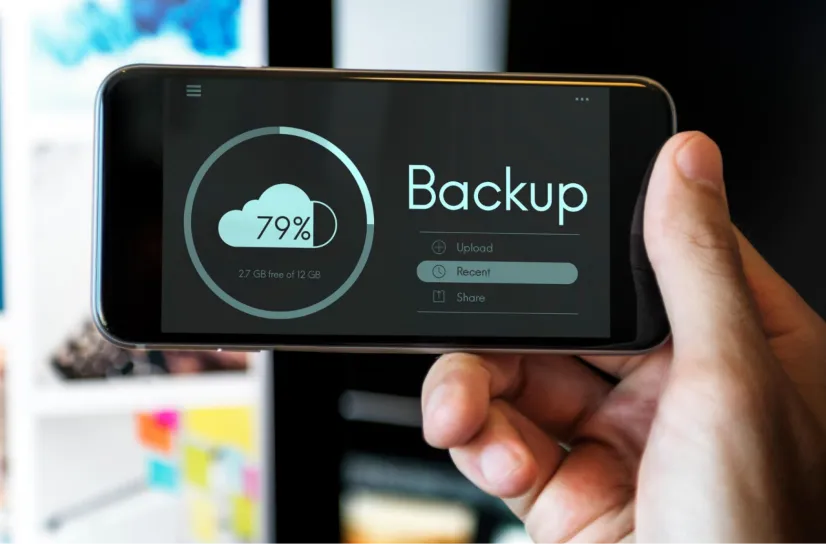
The 3-2-1 Backup Rule for Businesses
Federal ransomware guidance still treats 3 2 1 as the baseline, and the framework has held up because it addresses failure modes rather than products. Any backup platform can satisfy it. Most businesses that tell us they follow it are running two copies and a third that shares a network path with the other two.
That gap tends to surface during a restore, which is the worst possible moment to find it. Wildfire seasons, planned power shutoffs in the foothills, and attackers who now hunt backup repositories before they encrypt anything all put pressure on the same three components. Working with experienced IT services in Sacramento, CA gives you a team that checks each one before a real outage does it for you.
▌What the 3 2 1 Rule Actually Means
The rule breaks into three components. Maintain three copies of your data. Store those copies on two different types of storage media. Keep one copy in a location that is geographically separate from the other two. Each number addresses a specific failure mode, and the rule only functions as designed when all three are genuinely in place, not just nominally checked off a list.
The three copies piece is where businesses most often miscount. The original data in production counts as one. A local backup on a network-attached device counts as two.
A second local backup, a redundant volume on the same system, or a synced copy on another device in the same location does not count as the third. The third copy needs to be meaningfully separate from the first two, with genuine geographic or network isolation between them, which is the first thing a network service review should confirm. A backup that shares the same physical environment as the data it is protecting offers less protection than the rule intends to provide.
▌Two Media Types, Not Two of the Same Device
Media diversity means different storage technology, not a second unit of the same thing. Two NAS boxes from the same vendor share firmware, share a support lifecycle, and share whatever vulnerability turns up in that product line next year.
In practice, this usually pairs local on-premises hardware with cloud object storage. Local disk gives you fast recovery for a single deleted folder or a failed workstation. Cloud storage gives you distance, and it gives you retention controls that local hardware rarely offers. Those two fail for different reasons, which is the entire point of the requirement. Ask us for a cloud migration checklist if the cloud half of that pairing is still on your list rather than in place.
▌The Offsite Copy and Northern California Conditions
Offsite protects against anything that takes out a building:
Fire
Flood
Theft
A burst pipe above the server closet
An extended outage that damages equipment on the way down
If all three copies live at one address, you are covered against a dead drive and exposed to everything else. Sorting out post-migration cloud issues early is what makes that offsite copy dependable when a building event actually happens.
Wildfire
Northern California gives this more weight than most regions. The 2021 Caldor Fire burned more than 221,000 acres across El Dorado, Amador, and Alpine counties and destroyed over a thousand structures, with Grizzly Flats losing roughly two-thirds of the community. The Mosquito Fire crossed Placer and El Dorado counties the following year.
Planned Outages
Planned outages are the more routine problem. PG&E public safety power shutoffs target high fire threat areas in the foothills, which means communities like Auburn, Colfax, Foresthill, Placerville, and Pollock Pines, sometimes for multiple days with a few days of notice. Sacramento County itself sits inside SMUD territory, so most of that exposure falls on businesses with sites, staff, or equipment east of the county line rather than in the city.
Flooding
Flood risk runs the other direction. The Sacramento Area Flood Control Agency describes the City of Sacramento as the most at-risk city in the country for riverine flooding, with more than half a million people living in the floodplain and upwards of $70 billion in damageable property behind the levee system. The Natomas Basin alone is ringed by 42 miles of levees.
An offsite copy is the layer that applies when the local environment is the problem rather than the hardware.
▌Where Backup Setups Break After Setup
Four patterns account for nearly everything we find during onboarding assessments:
File sync mistaken for backup. Platforms that mirror current state across devices replicate deletions and encryption along with everything else. A real backup holds point-in-time versions you can restore from a moment before the damage.
Two devices, one media type. A local NAS and an external drive in the same office is one media type and one location, regardless of how the vendor markets either product.
Shared credentials across every copy. Attackers enumerate network shares and look for backup targets before triggering encryption. A production account that can delete backups makes the offsite copy decorative.
Scope that never caught up with the business. New applications get deployed, data moves to a new path, a server gets replaced, and the backup job keeps running against the old scope. The rule was satisfied once. It is not satisfied now.
That last one is the quiet killer, because the dashboard still reports success. Jobs complete. They just compete against the wrong data.
▌What 3-2-1 Does Not Cover on Its Own
The rule predates ransomware that deliberately targets backup infrastructure, which is why the newer framing adds two things:
One immutable or offline copy
Zero errors on verified restores
Here is what each piece requires:
Immutability: A retention lock that prevents modification or deletion inside a set window, even by an administrator account.
Credential separation: The accounts that run backups are not the accounts that run production.
Verification: Restoring a real file and a real system image on a schedule, then timing it against your recovery objectives.
For health care clients, this is not optional discipline. The HIPAA Security Rule requires a contingency plan that includes a documented data backup plan and disaster recovery procedures, and auditors ask for evidence that recovery has been tested, not just configured.
▌How We Build and Verify Backup Environments
Our team has worked in this market since 1994, when the company operated as Muller & Associates, and the backup environments we build address each component with tested infrastructure rather than assumed coverage:
The local copy runs on on-premises hardware sized to the environment.
The cloud copy runs on geographically separate infrastructure, with retention and recovery settings configured against the recovery point objective agreed with the client.
Media types are genuinely different.
Restore tests confirm each copy is complete and recoverable before anything goes wrong, and the configuration and test results are documented in a form that holds up in a compliance review.
Each client works with a dedicated technician who already knows the environment, which is what makes same-day on-site response practical across Sacramento, Roseville, Folsom, Elk Grove, Rancho Cordova, and El Dorado Hills. For environments with tight recovery windows, particularly in healthcare and legal practice, we layer in more frequent capture intervals and immutability settings on the cloud repository.
The rule gives us the framework. The testing is what proves it works.
▌Frequently Asked Questions
▌Make Sure Every Copy Is There When You Need It
A 3-2-1 setup only protects your business when every copy is truly separate, current, and tested. Sequoia Technology Group will check each one and close the gaps before an outage or an attack finds them.
Related Topics:


